
How Bitrix24 Helps Field Service Companies Manage Dispatch, Scheduling and Technicians in One Platform
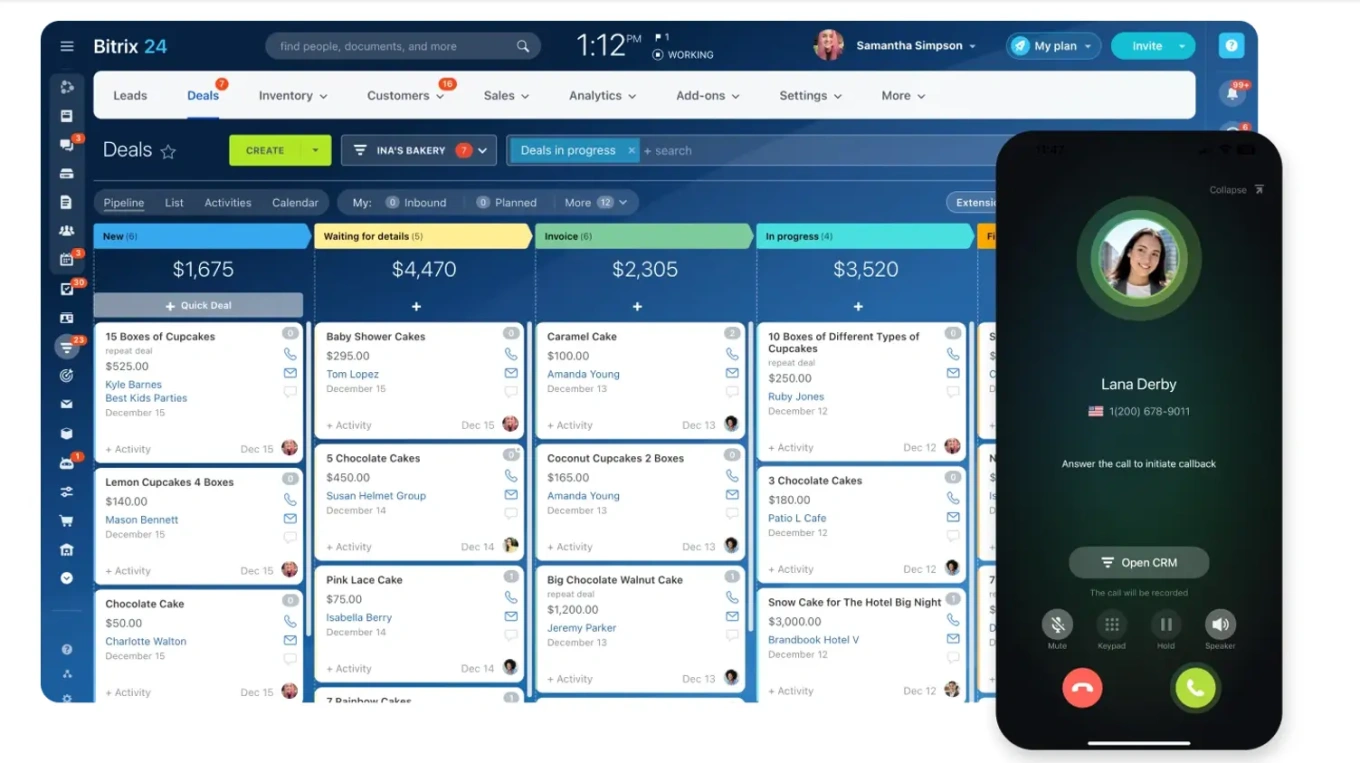
A centralized job and customer record in Bitrix24 CRM · © Bitrix24
A field service team's morning usually goes wrong in the same way: a technician is dispatched to an address someone else already covers, an emergency call sits unanswered in a shared inbox, and by the time dispatch catches the double-booking, the customer has already called twice. It isn't a lack of effort — it's a lack of one system. Bitrix24's own guidance for service businesses describes this exact pattern across HVAC, plumbing, electrical and pest control companies: informal dispatch, built on phone calls, group chats and spreadsheets, holds up fine at twenty jobs a week and starts breaking down at fifty. What follows is sourced directly from Bitrix24's published field operations and dispatch guides — how the platform replaces the improvised system with one connected workspace for intake, scheduling, mobile technicians and reporting.
One intake queue instead of four inboxes
Service requests land through phone calls, emails, website forms and customer portals, and when they're handled manually, details disappear into someone's inbox or get buried in a spreadsheet nobody else opens. With Bitrix24 CRM, requests from every one of those channels collect in a single queue and convert directly into tasks, so dispatchers work from one backlog instead of reconstructing it from four different tools every morning. It's a small structural change with a large effect: nothing gets missed because nothing has anywhere else to hide.
Task assignments that carry the whole job, not just an address
A technician needs more than a time slot to do good work. Bitrix24 task assignments can carry the customer's contact details, the exact service location, a description of the issue, its priority level, the equipment or materials required, and notes from any previous visit, plus a deadline and a checklist. Standardized templates mean a routine HVAC filter change or a recurring pest control stop doesn't get rebuilt from scratch every time it's scheduled, and a plumbing emergency can be flagged and routed differently from planned maintenance. Technicians arrive prepared instead of calling dispatch to ask what they're walking into.
Scheduling that shows the whole team at once
Smart scheduling is where most informal dispatch systems break first — balancing technician availability, travel time, job priority and existing workload is difficult to do from memory or a whiteboard. Bitrix24's shared calendars and task timelines give dispatchers a single color-coded view of who's free, what's booked, and where gaps or overlaps are forming, which is what actually prevents double-booking. The stakes are measurable: field service management research cited in Bitrix24's own dispatch guide found that companies adopting FSM software see productivity increase by an average of 24% in the first year, with travel time between service calls falling by around 17% once scheduling is optimized.
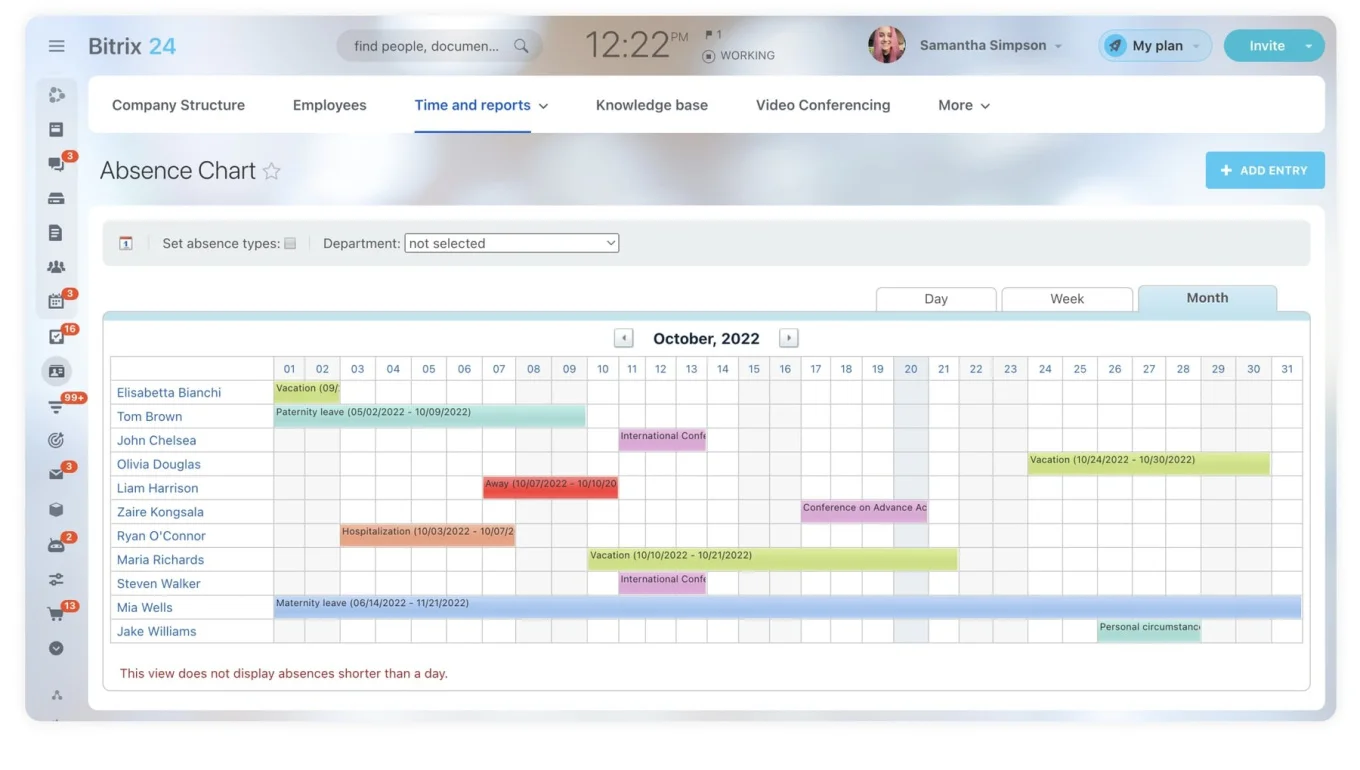
Shared calendars give dispatchers a real-time view of technician schedules · © Bitrix24
A mobile app built for a job site, not a desk
The Bitrix24 mobile app keeps field technicians connected wherever the job takes them: map-integrated task locations for GPS navigation, push notifications for new assignments and last-minute reroutes, and live status updates — on the way, in progress, completed — that sync back to dispatch the moment they're logged. Technicians can pull up a customer's service history and past notes before they even ring the doorbell, and log photos or updates from the site instead of writing them up later from memory. For dispatchers, that live status means fewer phone calls made purely to check where things stand.
Dispatch and technicians talking inside the job itself
Rather than a separate group chat, text thread or phone tree, Bitrix24 keeps chat and comments attached directly to the task they concern. A reroute, a parts question or a customer's special instruction stays with the job record instead of scattering across whichever channel happened to be open — which, per Bitrix24's own field operations guidance, is one of the more common sources of dispatch delay once a team grows past a handful of technicians.
Automation for the admin work nobody has time for
Once a job is booked, Bitrix24 can send a confirmation text or email automatically, trigger a satisfaction survey the instant a technician marks the job complete, and launch recurring maintenance reminders without dispatch touching a calendar. On the operational side, workflow automation can escalate an overdue job to a supervisor, and for larger teams, robotic process automation can apply multi-step assignment rules based on a technician's skill set, territory or certification — routing logic that gets unmanageable by hand once a business is running more than a couple of routes a day.
Reporting that shows where the bottlenecks actually are
Once jobs are tracked from request to completion, Bitrix24's analytics and reporting tools surface patterns that are invisible when dispatch runs on phone calls and memory: average completion time by job type, technician productivity trends, recurring service issues, and where scheduling bottlenecks are actually forming. That's the data a growing field service business needs to decide where to hire, how to redraw routes, or which service type is quietly costing more time than it should.
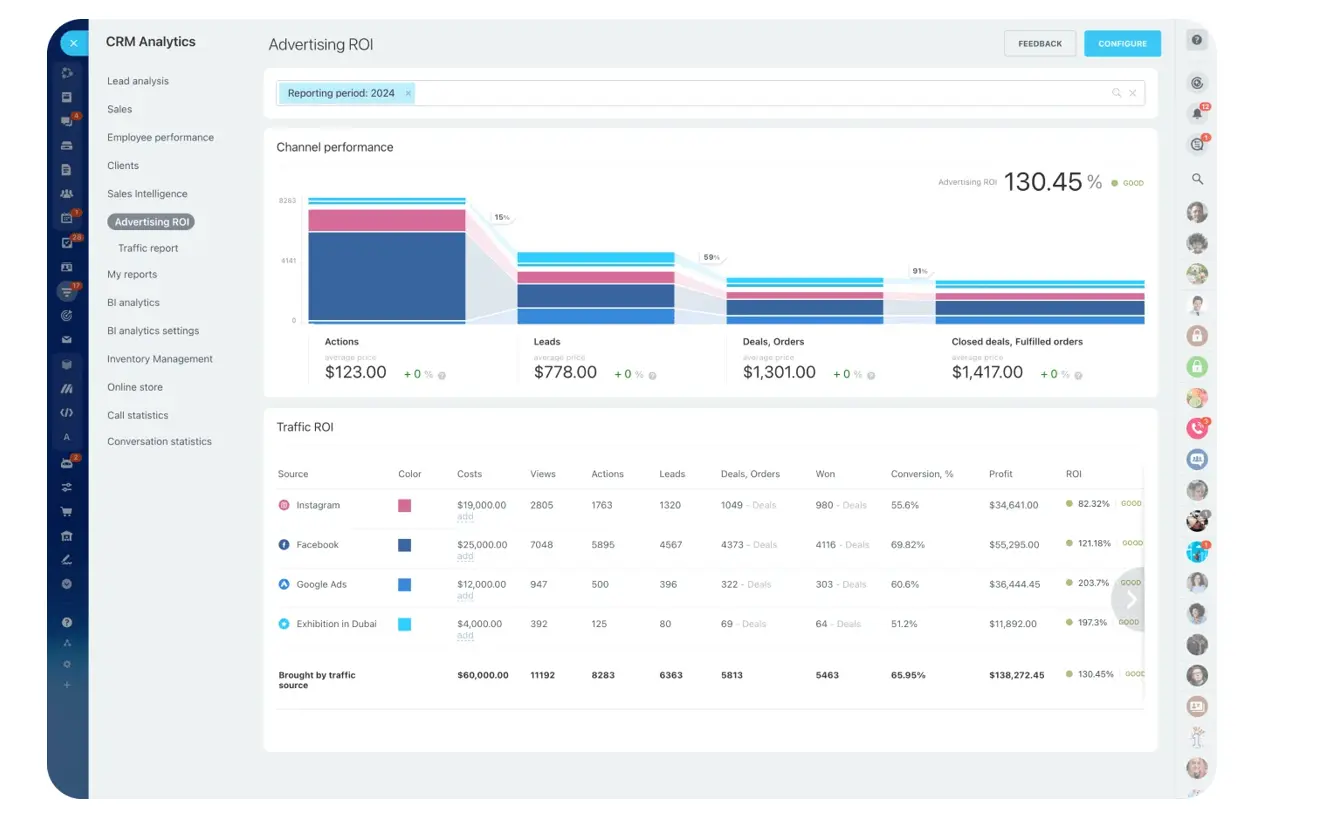
Analytics and reporting surface completion times and bottlenecks · © Bitrix24
What it costs
Bitrix24's Free plan (unlimited users, basic CRM, tasks and shared calendars) covers a solo operator or a very small crew. Growing teams typically move to Basic (US$49/month billed annually, 5 users, adding telephony and a web form designer for capturing service requests) or Standard (US$99/month billed annually, 50 users, adding sales automation, unlimited projects and boards). The workflow automation, RPA, analytics and reporting, and e-signature tools described above sit on the Professional plan (US$199/month billed annually, 100 users) — the tier Bitrix24's own pricing page lists as most popular for scaling operations. Figures are billed-annually rates current on Bitrix24's pricing page; monthly billing runs higher.
None of this configures itself out of the box. B24 Biz Solutions sets up the CRM fields, task templates, dispatch calendars and automation rules to match how a specific field service business actually runs — an HVAC company's route density, a plumbing outfit's emergency-versus-scheduled split, or a pest control business's recurring visit cadence — for service companies across the UAE, Middle East and South Asia.
Sources
Want this set up for your business?
We configure Bitrix24's CRM, dispatch calendars, task templates and automation for field service companies across the UAE, Middle East and South Asia.
Book a free consultation →