
How Bitrix24 Helps Dental Clinics Manage Enquiries, Bookings, Reminders and Patient Recall in One Platform
Bitrix24 CRM for dental practices, from Bitrix24's own industry page · © Bitrix24
A patient messages the clinic on Sunday evening asking about a check-up. Another cancelled a hygiene visit in March and was never contacted again. The Thursday afternoon slot for the second surgery is free because a reminder was missed, and the receptionist who spoke to a nervous new patient last week has gone home without leaving a note. None of this is a clinical failure, yet each one costs a clinic revenue and goodwill.
Dental clinics in Dubai, Abu Dhabi, Doha, Karachi or Colombo tend to run on the same patchwork: a practice management system for charts, a WhatsApp number for enquiries, a paper diary or shared sheet for recalls and a reception team holding the rest in their heads. Bitrix24 does not replace clinical charting, and its own pages do not claim to. What it offers is a CRM, booking, task and communication layer around the patient relationship. This post walks through how those pieces fit a dental practice, based on what Bitrix24 documents on its own pages.
Capturing every enquiry and giving it an owner
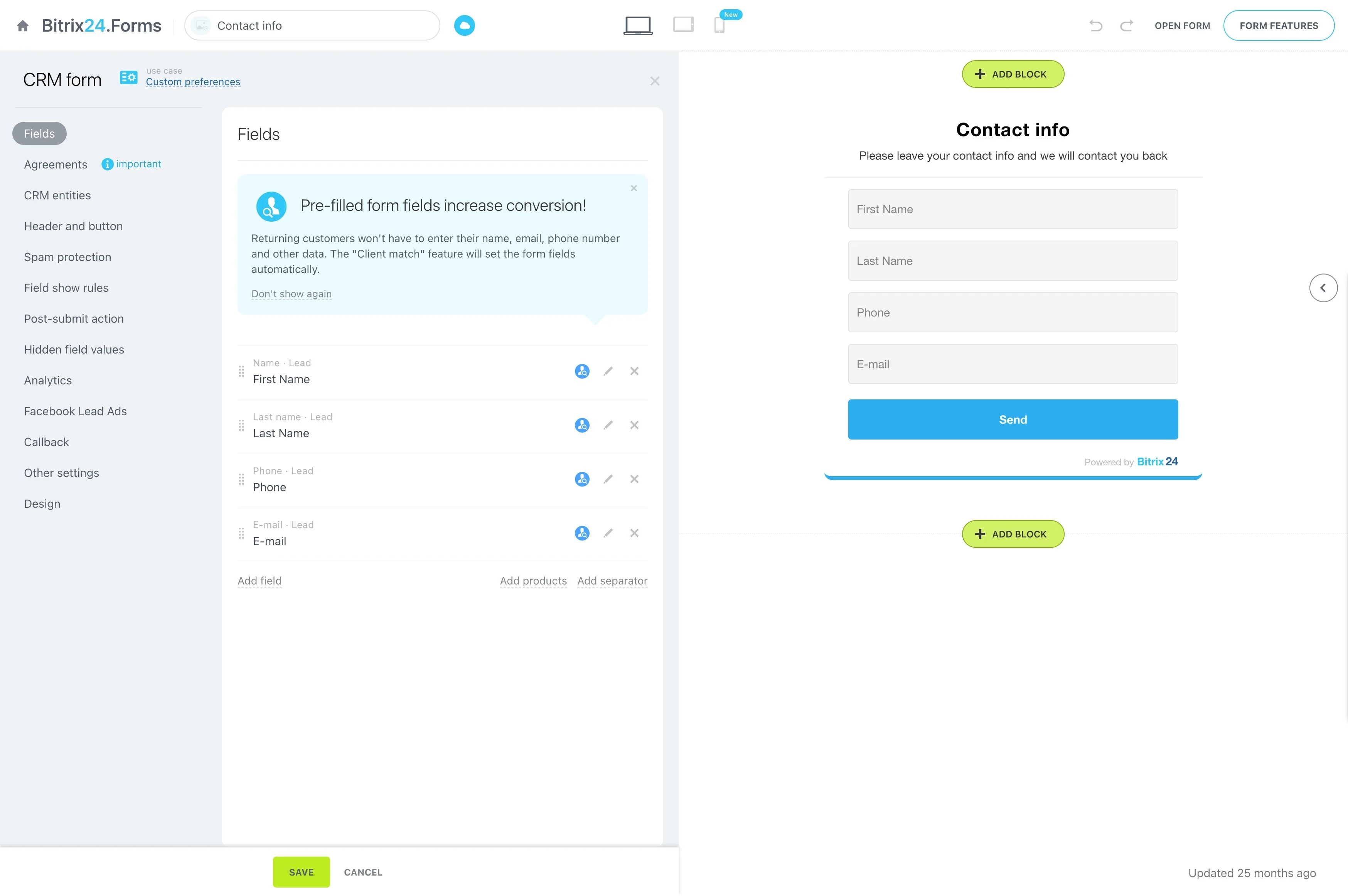
Bitrix24's dental-practice page describes recording why a prospective patient got in touch, their contact details and the service they want, then assigning a named person to respond. For a clinic this turns a loose stream of calls and messages into a visible queue: who asked about implants, who wants a whitening quote, who has not yet been called back. Because the history stays on the record, the next team member does not have to ask the patient to repeat themselves.
Online booking that creates the patient record
Bitrix24's clinic scheduling guidance describes publishing open slots by provider and time window, with an online entry point that collects the reason for the visit, preferred time and any notes. Each booking creates or updates a patient record in the CRM, and rescheduling updates the same record rather than starting a new one, so the appointment history and the conversation history stay together. For a multi-dentist practice, slots by provider mean a patient asking for a particular dentist sees only what is genuinely open.
Reminders and confirmations by visit type
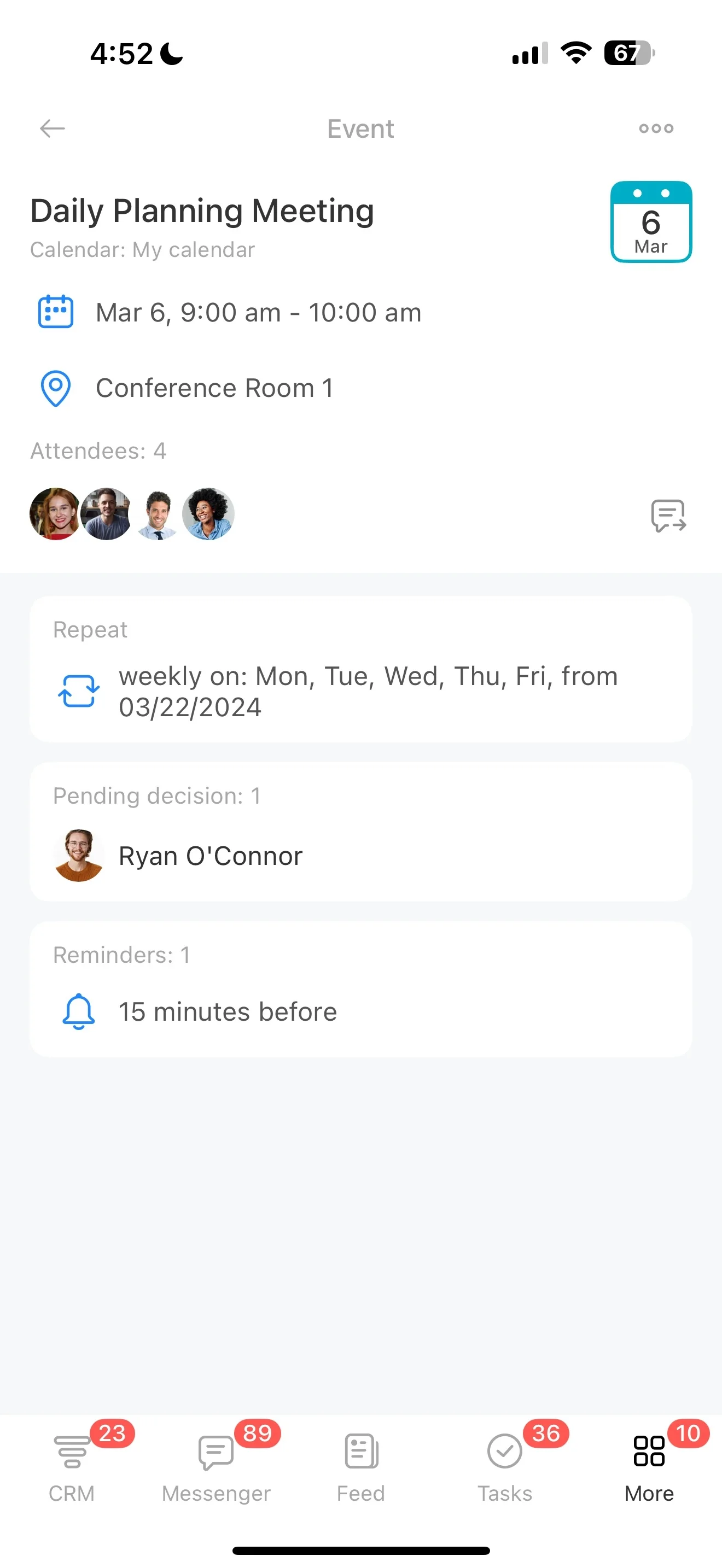
The same guidance says reminders can follow the clinic's own schedule by visit type and timing, for example one the day before and another closer to the appointment. Confirmations can cover the time, provider, location and any preparation steps, and staff can see which appointments are confirmed, pending or still need outreach. A first consultation, a scale and polish and a surgical extraction rarely need the same message, and defining them once is far easier than remembering them every morning.
Appointment reminders and confirmations configured by visit type · © Bitrix24
Turning recall into a defined workflow
Recall is where many practices quietly lose recurring revenue. Bitrix24's dental page describes finding the patients due for outreach, assigning the contact to a team member, logging each response and setting a next action if an appointment or further follow-up is needed. The point is not automation for its own sake; it is that a recall conversation has an owner, a result and a next step instead of living on a list nobody has time to work through. Managers can also see which recalls are waiting and which have gone cold.
Shared calendars for dentists, rooms and equipment
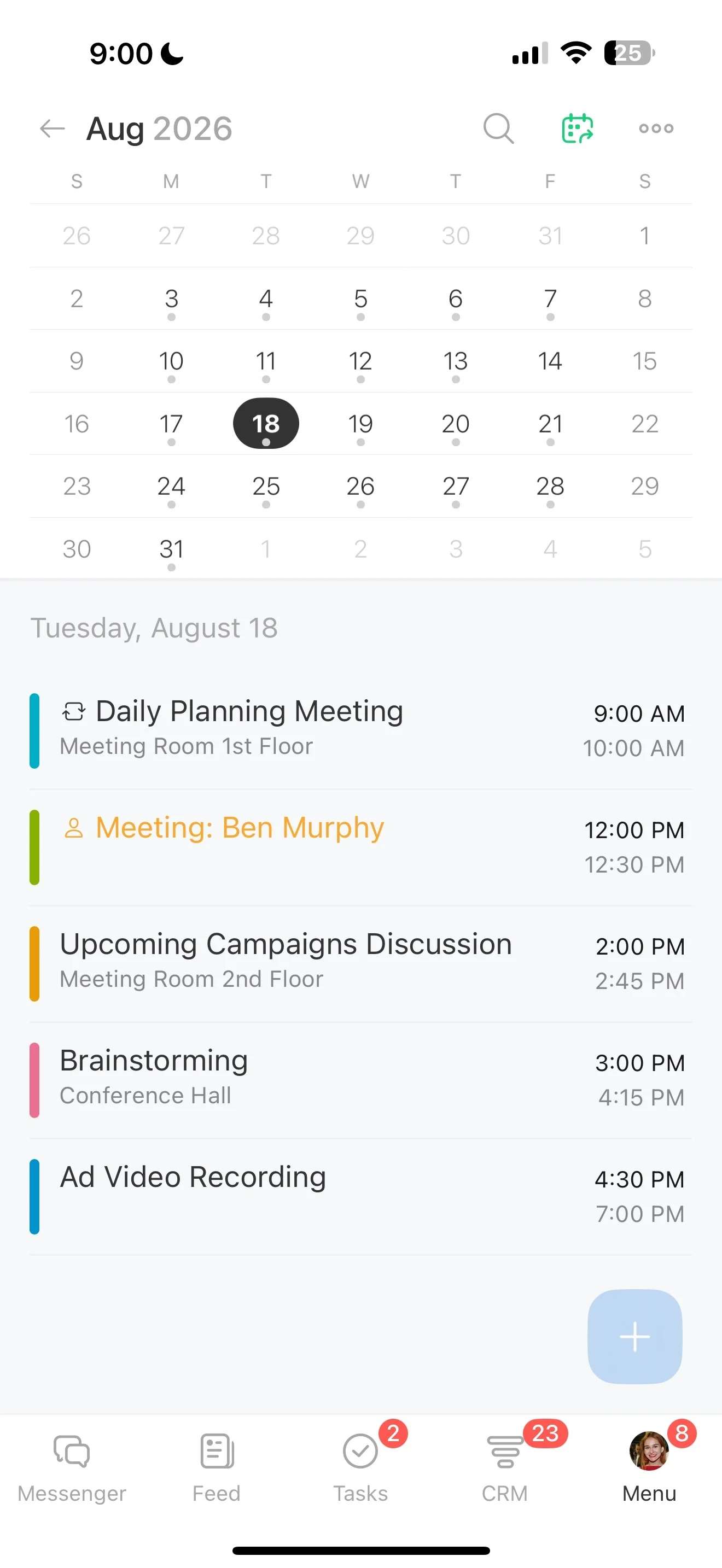
Bitrix24 describes shared calendars that track provider availability and also book rooms and equipment, which helps prevent double-booking. That matters in a clinic where a surgery chair, an X-ray unit or a sterilisation slot is as limited as the dentist, and where part-time or visiting specialists work on rotating days. Seeing the whole picture in one calendar is simpler than reconciling several diaries at the front desk.
Shared availability for providers, rooms and equipment · © Bitrix24
Follow-ups and manager visibility
After a visit, staff can create tasks on the patient record for next-step instructions, outcome checks or return visits, with clear ownership and a timeline that can be reviewed later. Bitrix24's dental page adds that managers can see enquiries awaiting contact, open appointment actions and recall conversations that need attention. For a clinic owner, that is the difference between hoping the front desk is on top of things and being able to check.
A note on patient data
Patient information is regulated differently across the UAE, Saudi Arabia, India, Pakistan, Sri Lanka and elsewhere. The Bitrix24 pages we reviewed describe workflow features rather than certifying compliance with any specific healthcare regulation, so a clinic should decide which patient details belong in the CRM, who may see them and how consent is recorded before rollout, and confirm the requirements with its own advisers.
Where a partner comes in
The features above only help if they match how your clinic actually runs. B24 Biz Solutions is an official Bitrix24 partner based in Dubai, working with clients across the UAE, the wider Middle East and South Asia. We configure Bitrix24 around the way a business already operates, then train the reception and clinical teams who use it every day.
Sources
- Bitrix24 — CRM for dental practices: enquiry intake, appointment coordination, recall workflow, shared patient history and follow-up visibility
- Bitrix24 — Standardize confirmations, reminders and follow-ups: online booking, patient records, reminders, confirmations, shared resources and follow-up tasks for clinics
Running a dental clinic?
We help dental clinics and multi-branch dental groups across the UAE, Middle East and South Asia set up Bitrix24 with enquiry capture, online booking, reminders by visit type, recall workflows and shared calendars for dentists and rooms — configured around how your practice actually runs.
Book a free consultation →