
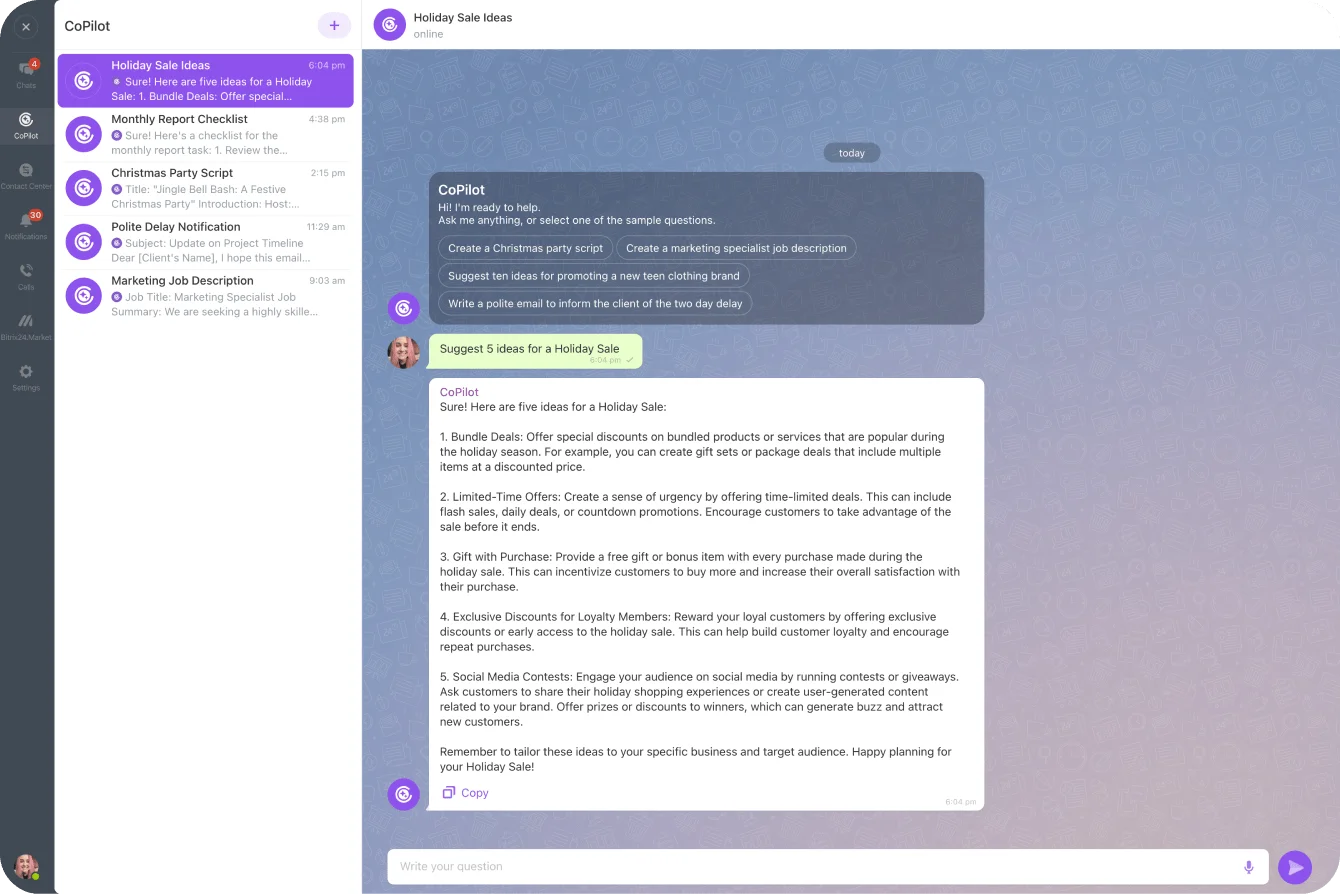
Most teams already use some form of AI — but it usually lives in a separate browser tab, disconnected from the deals, tasks and conversations that actually run the business. You copy text out, paste an answer back, and the AI never sees your customer data. Bitrix24 takes a different approach with CoPilot, its built-in AI assistant. Rather than a single chatbot, CoPilot is a set of AI features placed directly inside the tools each department already uses — chat, CRM, tasks, the activity feed, video calls and the website builder. Everything below comes straight from Bitrix24's own product pages, which is the platform we implement as an authorised partner for the UAE, Middle East and South Asia.
CoPilot in Chat: an always-on idea and copy generator
The most visible home for CoPilot is Bitrix24's team chat. There, any employee can ask it to generate ideas, write texts, or act as a brainstorming partner — validating an idea, offering constructive criticism, or pointing out logical gaps. Importantly, CoPilot remembers the context of the conversation within a chat, so you can ask it to expand on a previous answer, rewrite it, or add a twist until the result is right. Because it sits in the same messenger your team already opens every morning, there's no separate tool to learn and no context to copy back and forth.
CoPilot in CRM: call transcription, summaries and auto-filled deals
For sales teams, CoPilot handles some of the most tedious parts of CRM hygiene. After a client call, it can transcribe the recording into readable text and produce a call summary — so nobody has to re-listen to a 35-minute conversation. It can also autofill CRM fields such as name, phone and company from that call, and generate fresh ideas or compelling copy for a promotional email or landing page. In short, the AI does the note-taking and data entry that reps usually skip, which keeps the pipeline accurate without extra admin work.
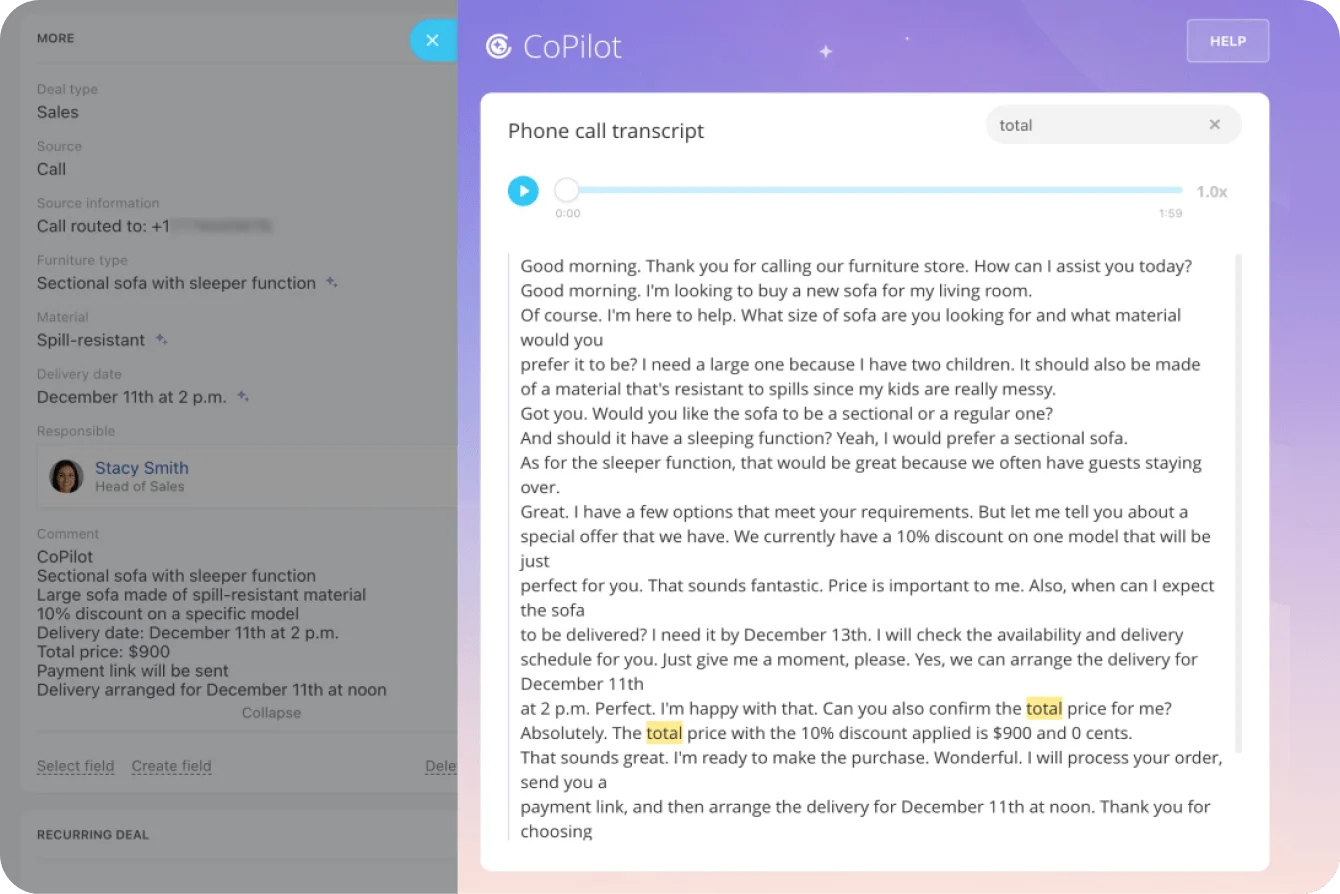
Bitrix24 CoPilot in CRM · © Bitrix24
CoPilot in Tasks and Feed: turn a sentence — or a voice note — into structured work
When planning a project, CoPilot can take a brief outline and expand it into a clear task description, then generate an appropriate checklist automatically. It can also produce a one-click task summary so a manager doesn't have to read every comment to understand status. One of the more useful touches for busy teams: send a voice message to Bitrix24 chat and the system turns it into a task — no typing required. In the activity Feed, the same assistant helps write company announcements, reply to comments, generate ideas and images, and includes a built-in translator and grammar check — handy for the multilingual teams common across the Gulf.
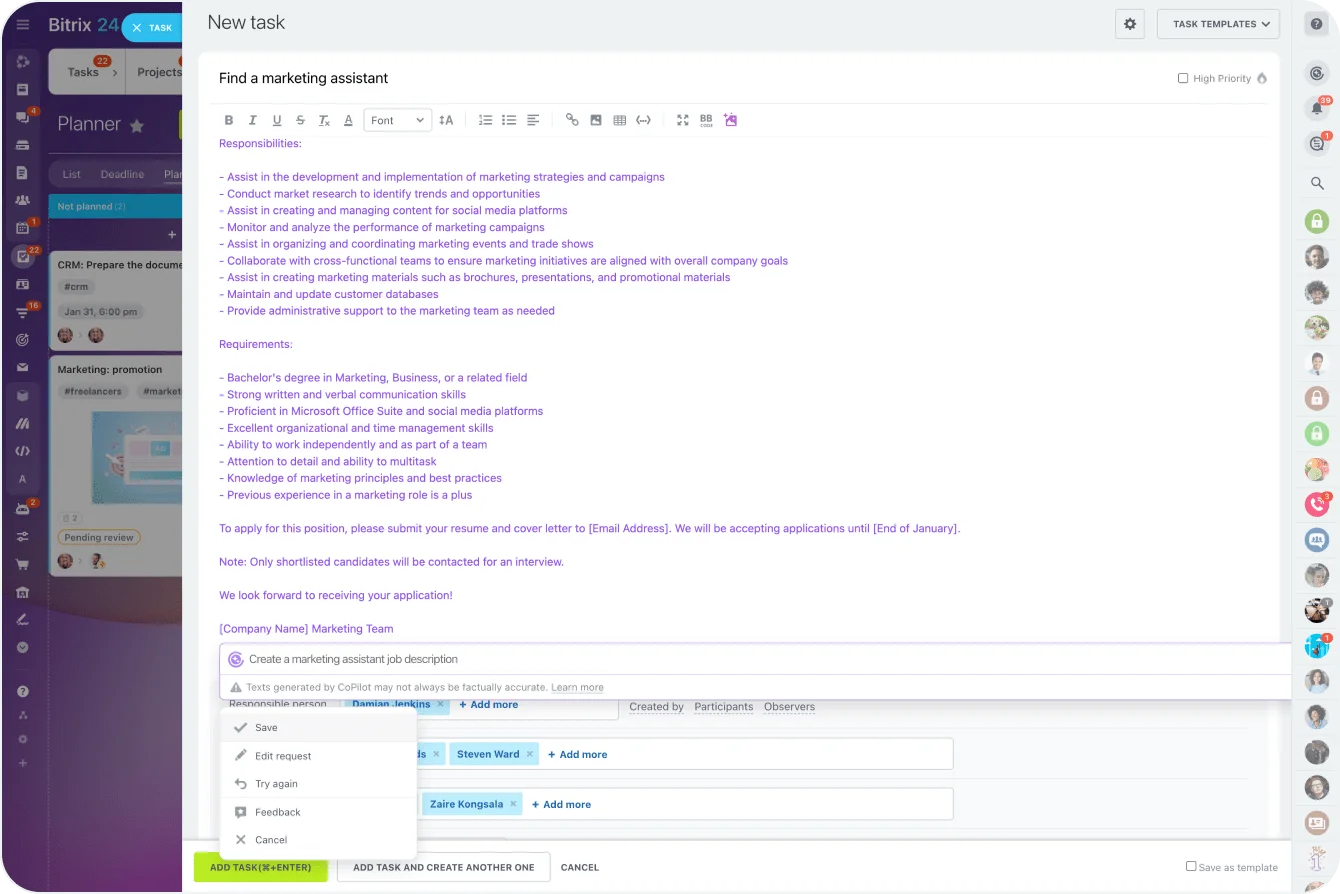
Bitrix24 CoPilot in Tasks · © Bitrix24
CoPilot isn't a single feature bolted on — it's the same assistant showing up wherever the work already happens, from a chat window to a CRM deal to a video call.
CoPilot in Video Calls: meeting notes that write themselves
Bitrix24 video calls include CoPilot Follow-Up, which transcribes the call and analyses it. After the meeting, it delivers a word-for-word transcript with timestamps plus a structured summary — the agenda, key results, a call rating, and a list of suggested follow-up actions that can be turned into tasks in one click. It also offers recommendations on what to improve for the next call. For distributed teams that live in back-to-back meetings, that means far less time spent writing up notes and chasing action items by hand.
CoPilot in Sites & Stores, plus a bridge to outside AI
On the marketing side, CoPilot lives inside the Bitrix24 website builder. Give it a subject and a tone — formal, engaging, informative — and it drafts copy; it can also rewrite existing text from a different perspective, generate original images, and even build a whole website from a single prompt, producing design, copy, images and web forms. Bitrix24 also adds an MCP (Model Context Protocol) server, a no-code, permission-based way to connect external AI tools such as ChatGPT to your workspace so they can perform real actions — create a task, find a deal — rather than just returning text. That keeps the door open to other AI models while keeping control in the hands of your administrators. On privacy, Bitrix24 states that CoPilot dialog contents are deleted from the provider's servers once the dialog is closed and that your data is not used to train the model.
What it costs
Bitrix24 prices per organisation, not per user — a flat rate covers everyone included in your plan, with no per-seat charge. There's a free plan to start, and per Bitrix24's pricing page the AI-heavy capabilities sit on the higher tiers: the Professional plan is positioned around "automation and AI everywhere" at US$199 per organisation per month billed annually (including 100 users), with Standard and Basic below it. Annual billing saves roughly 30% versus monthly, and there's a 15-day trial with no credit card required. Bitrix24 also notes that some CoPilot features are free while more advanced AI functionality may require a commercial plan or usage-based credits, so the right fit depends on how heavily each department will lean on the AI. (Prices as listed on Bitrix24's site at the time of writing.)
Where a partner comes in
CoPilot's strength — that it appears in a dozen different places — is also what makes a considered rollout worthwhile. Deciding which departments switch it on first, wiring call transcription into the right sales pipeline, setting permissions for the MCP server, and training staff to prompt it well all shape whether the AI saves real hours or just sits unused. As an authorised Bitrix24 partner working across the UAE, Middle East and South Asia, B24 Biz Solutions configures CoPilot and the surrounding Bitrix24 tools — CRM, Tasks, Contact Center and Sites — around how your teams actually work, in your language and timezone.